Posts tonen met het label auto white balance. Alle posts tonen

zaterdag 25 augustus 2012

Processing images from the blue / yellow polarizer


As written in my previous article  there is a strong colourcast over your images when you use your blue/yellow polarizer. In the beginning, this filter can be hard to get good images of, your white balance panics when it sees all these unnatural colours. There’s the colourcast of the filter, and then there are the unnaturally saturated reflections. Who could blame your white balance.

Now, the solution seems obvious, just turn to a preset of your camera, as the auto white balance is fooled. Well, there’s still the colourcast. Normally I just shoot RAW, and worry about correcting the colours later. The reason for doing so, is because it’s not about the colour temperature, but about the tint (green/magenta slider). And besides that, sometimes the colourcast can add something even more unrealistic to your images. 

When I open my images in Capture NX, I go to the colour correcting dialogue. First I will adjust the green/magenta slider. I will add somewhere between 2 to 5 (no idea what values to be used in lightroom/aperture) This will correct for the magenta-ish colourcast. After that, the image usually still has some issues, and I will decrease the colour temperature (make it colder) as usually there is still too much red in the image.

After this, the image will look comparable to what you actually saw through the filter, but it may take some tweaking for every image. However I think the results from this filter are more than worth it. 

maandag 28 november 2011

leave your white balance on auto


I know, everyone always says that your auto white balance isn’t any good. And partly it’s true, it can be way off. And that’s also the beauty of it since I only recommend shooting in auto white balance when you shoot in RAW. Because when you shoot in RAW your in-camera white balance does not really matter, you can change it afterwards without compromising the image quality.

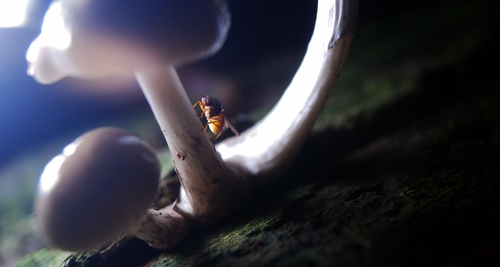
Now back to why you can shoot auto white balance: it messes things up up. For example this photo:


With the correct white balance it looks way warmer and greener. Which would have been fine, but with the blue hint the photo looks better (to me). I do not think I would have come up with this result myself. I probably would have fine tuned my white balance to make it correct and the photo would look less alien. But with photos like this, when your white balance is off, sometimes it gives you a tip how you could process your photograph.

On the other hand, when you are on an assignment and you want to do as little post production as possible, you probably want to fine tune your white balance in camera. But if you’re shooting for yourself and you want to “develop” your photos anyway, you can try auto white balance.

Thanks for reading,

Koen